Quick start
Three commands. Then the agent asks the graph.
npm install -g @muthuishere/ctx-optimizecd your-repo && ctx-optimize upctx-optimize install --claudenpm install -g @muthuishere/ctx-optimizecd your-repo && ctx-optimize upctx-optimize install --codexThen trust the hook once with /hooks inside Codex.
npm install -g @muthuishere/ctx-optimizecd your-repo && ctx-optimize upctx-optimize install --copilotnpm install -g @muthuishere/ctx-optimizecd your-repo && ctx-optimize upctx-optimize installGrok already reads the Claude skill. Devin already reads ~/.agents/skills.
If it still only searches files: Use ctx-optimize for searching and all structural work. How to use it.
Also go install github.com/muthuishere/ctx-optimize/cmd/ctx-optimize@latest, or a
release binary. Store:
~/ctxoptimize/<name>/. Into the repo: .ctxoptimize/ (commit it).
ctx-optimize query "store merge producer" # find: ranked hits with file:linectx-optimize card Store.Merge # inspect: signature, doc, callers, calleesctx-optimize change-plan Store.Merge # about to edit: callers + blast radius + testsctx-optimize affected Store.Merge # blast radius onlyctx-optimize boundaries # what this system talks toEvery answer carries an exact file:line. Pick the verb by intent rather than reaching for
query every time — the cookbook maps the question you would ask
a teammate to the one command that answers it.
See it
Section titled “See it”The same store, as a picture a human can read.
ctx-optimize serve# dashboard: http://127.0.0.1:4747/ — Viewer → "Flow — derived architecture"A card is a directory. An arrow is N real edges, summed. The hub is whatever everything depends on. The dashed plates underneath are the external surface — hosts, env names, spawned binaries — never a secret value. Click a card to drill into its files, then its declarations.
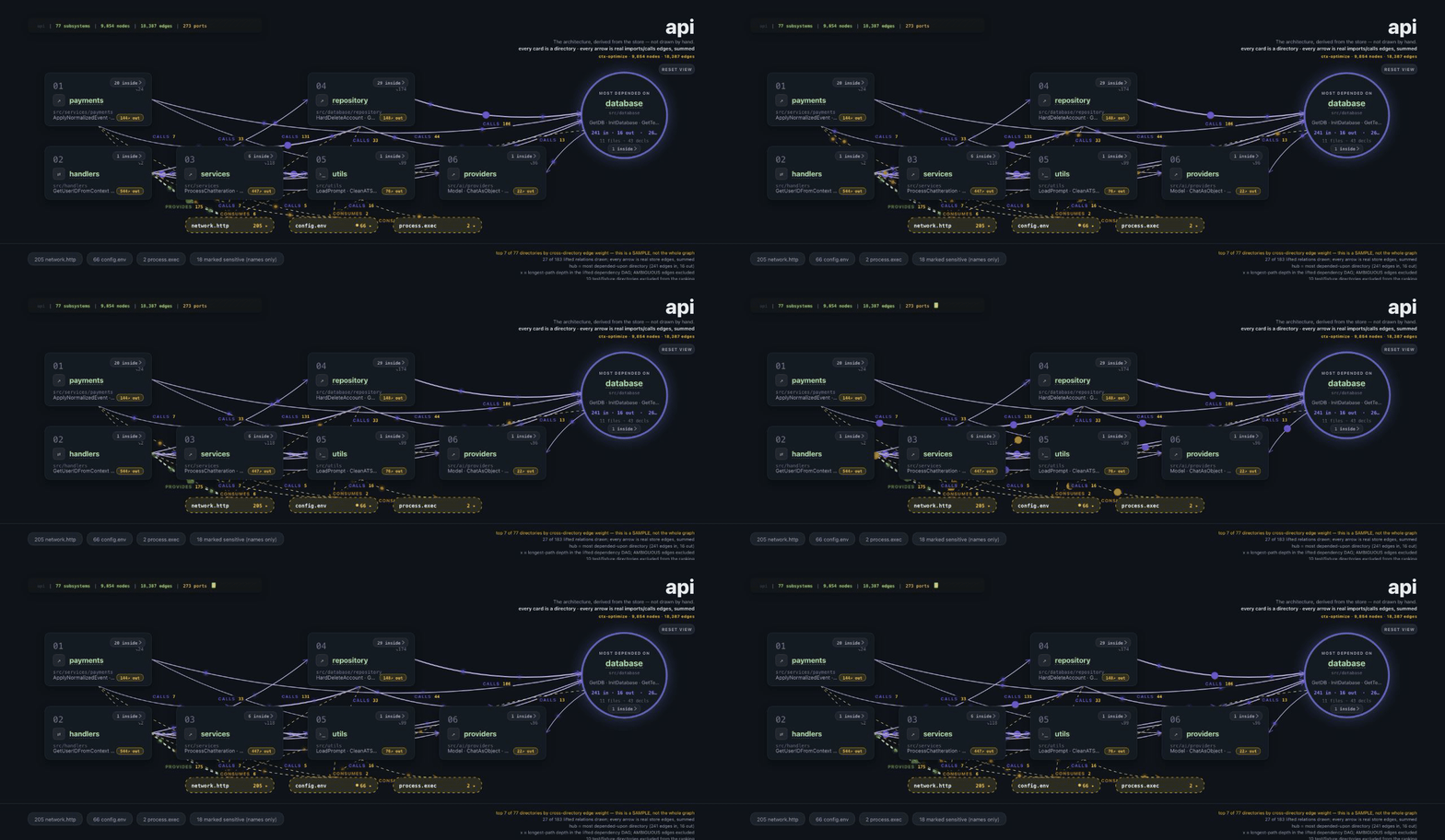
How to read the picture → · How serve is locked down →
Keep it current
Section titled “Keep it current”ctx-optimize sync # incremental resync; a no-change run is millisecondsDefault is off — a stale store stays stale until you sync. "autosync": "lazy" in
.ctxoptimize/config.json is opt-in (first stale read answers now, a child refreshes for
the next). There is no MCP server and no watcher. The agent may still grep; we do not
block it. If it ignores the store, say this.