Installing
aos is one executable. There is nothing else to install and no administrator step.
macOS and Linux
Section titled “macOS and Linux”curl -fsSL https://raw.githubusercontent.com/muthuishere/aos/main/install.sh | shThis downloads the latest release, verifies it against checksums.txt, and puts aos in ~/.local/bin.
Windows
Section titled “Windows”curl -fsSL -o install.cmd https://raw.githubusercontent.com/muthuishere/aos/main/install.cmd && install.cmdThis puts aos.exe in %LOCALAPPDATA%\Programs\aos and adds it to your user PATH. It is a .cmd file because PowerShell blocks unsigned script files by default, and a .cmd runs everywhere. Both /from and --from styles work, and likewise /version and /dir.
npm (any OS)
Section titled “npm (any OS)”npm i -g @muthuishere/aosnpx @muthuishere/aos doctor # or run it without installingThe package runs the same install.sh / install.cmd to fetch the matching release (sha256-verified), but puts the binary inside the package folder instead of on your PATH, so npm uninstall -g @muthuishere/aos removes it cleanly. With --ignore-scripts, pnpm or bun (which skip install scripts), the binary is fetched the first time you run aos. Behind a proxy, set HTTPS_PROXY or npm config set https-proxy.
Options
Section titled “Options”| option | what it does |
|---|---|
--version v0.5.0 |
install a specific release instead of the latest |
--dir ~/bin |
install somewhere else |
--from <source> |
install from a folder, a URL, one archive, or a bare executable |
Pass options after sh -s -- when piping from curl:
curl -fsSL https://raw.githubusercontent.com/muthuishere/aos/main/install.sh | sh -s -- --version v0.5.0sh install.sh --dir ~/binThe environment variables AOS_FROM, AOS_VERSION and AOS_INSTALL_DIR do the same.
Installing without GitHub
Section titled “Installing without GitHub”--from works on an air-gapped machine, from a mirror, or from your own build:
--from value |
what happens |
|---|---|
a folder (./dist/) |
release archives plus checksums.txt. The right archive for this OS and CPU is picked and verified |
an http(s) URL |
the same, from a mirror such as https://mirror.example/aos/v0.6.0/ |
one archive (aos_0.5.0_darwin_arm64.tar.gz, .zip) |
unpacked and installed |
an executable (./aos, aos.exe) |
copied in as-is |
sh install.sh --from ./aos_0.5.0_darwin_arm64.tar.gzinstall.cmd /from .\aos_0.5.0_windows_arm64.zipinstall.cmd /from .\aos.exeCheck the machine
Section titled “Check the machine”aos doctor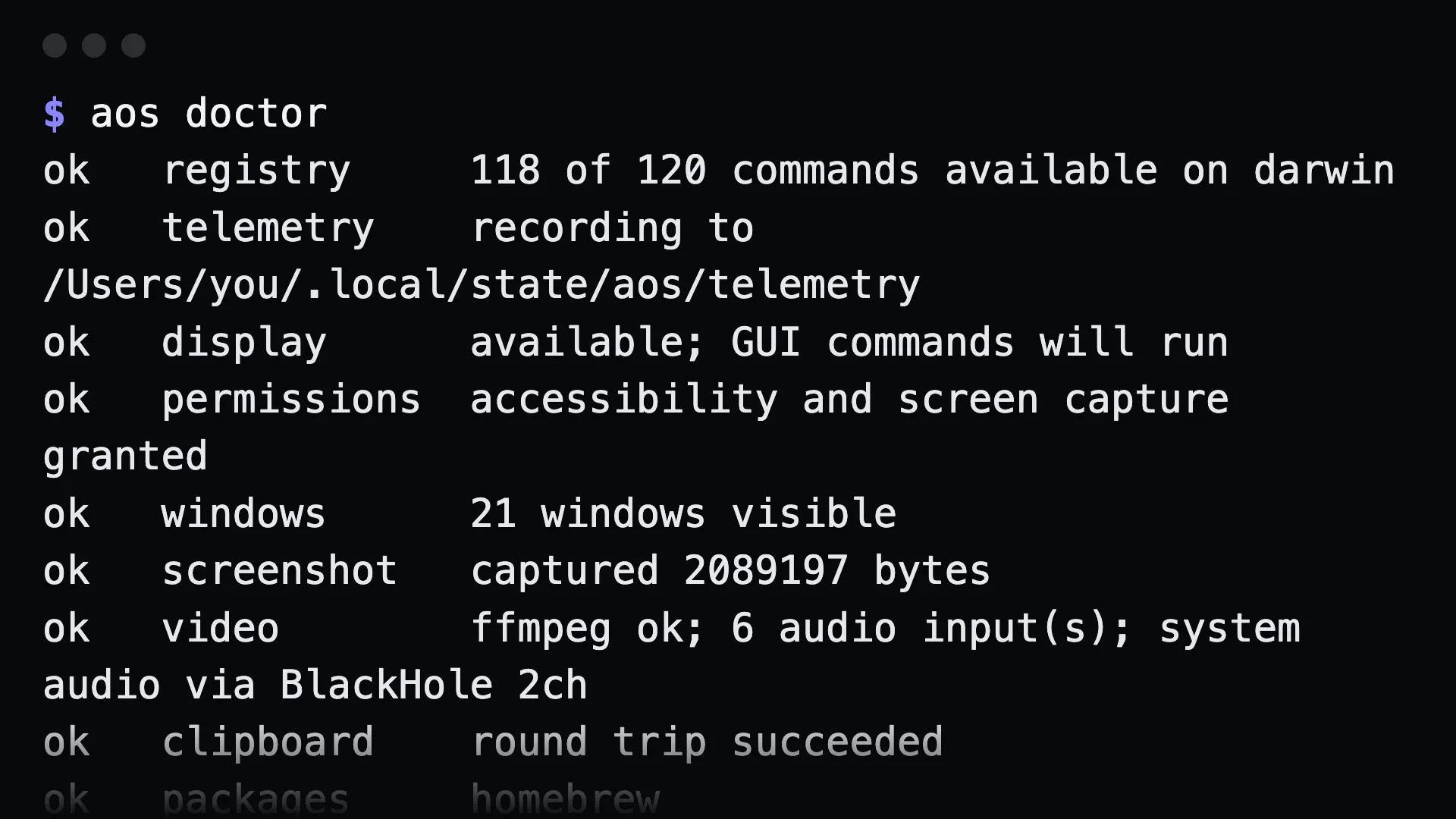
doctor says what this machine can and cannot do, including permissions, display, and ffmpeg for capture video, and how to fix each gap.
The agent skill installs itself
Section titled “The agent skill installs itself”The first time you run any aos command, the bundled agent skill is written to ~/.claude/skills/ and ~/.agents/skills/. It is refreshed whenever the binary changes. Set AOS_NO_SKILL_AUTOINSTALL=1 to opt out, or run aos skill uninstall. See the agent skill.
Gotchas
Section titled “Gotchas”~/.local/binmust be on yourPATH. The installer tells you if it is not.- On macOS, desktop commands need permissions. Run
aos permission requestto ask for Accessibility and Screen Recording. - Upgrading is the same command. Run the install line again to replace the binary with the latest release.