Narrate what the agent is doing
Goal. A long agent task runs on the desktop. The person wants to see what step it is on, like subtitles on a film.
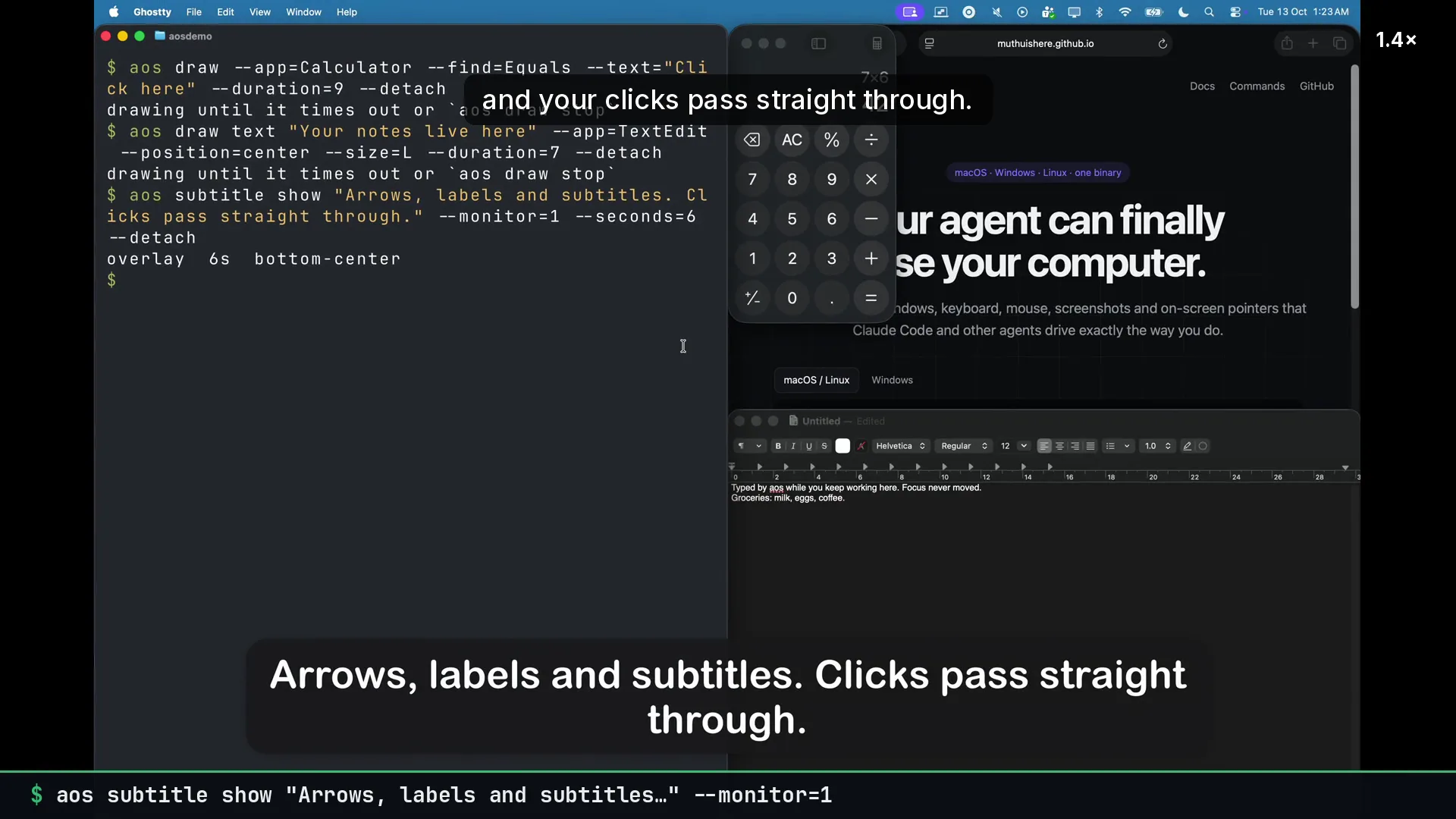
Commands
Section titled “Commands”aos subtitle show "Opening the export dialog…" --seconds=4aos subtitle show "Running the migration, this takes a minute" --seconds=60 --position=top-centeraos subtitle show "Done ✓" --seconds=3 --waitaos subtitle stopA new caption replaces the previous one. --wait blocks until the caption is gone, which is useful as a pause between steps.
Check it works on this machine first:
aos subtitle testWhat to tell an agent
Section titled “What to tell an agent”Narrate each step with a subtitle while you work. Keep them short.
The bundled agent skill already suggests this for long tasks.
Gotchas
Section titled “Gotchas”- Default position is bottom-center, 8% up from the edge, clear of the dock and taskbar.
- Captions never take focus. Keyboard input keeps going to the active app.
- They appear in recordings. With
capture videorunning, the narration is part of the video. - One caption at a time. For a label that stays next to something, use
draw textinstead.